Your markdown editor
assumes one author.
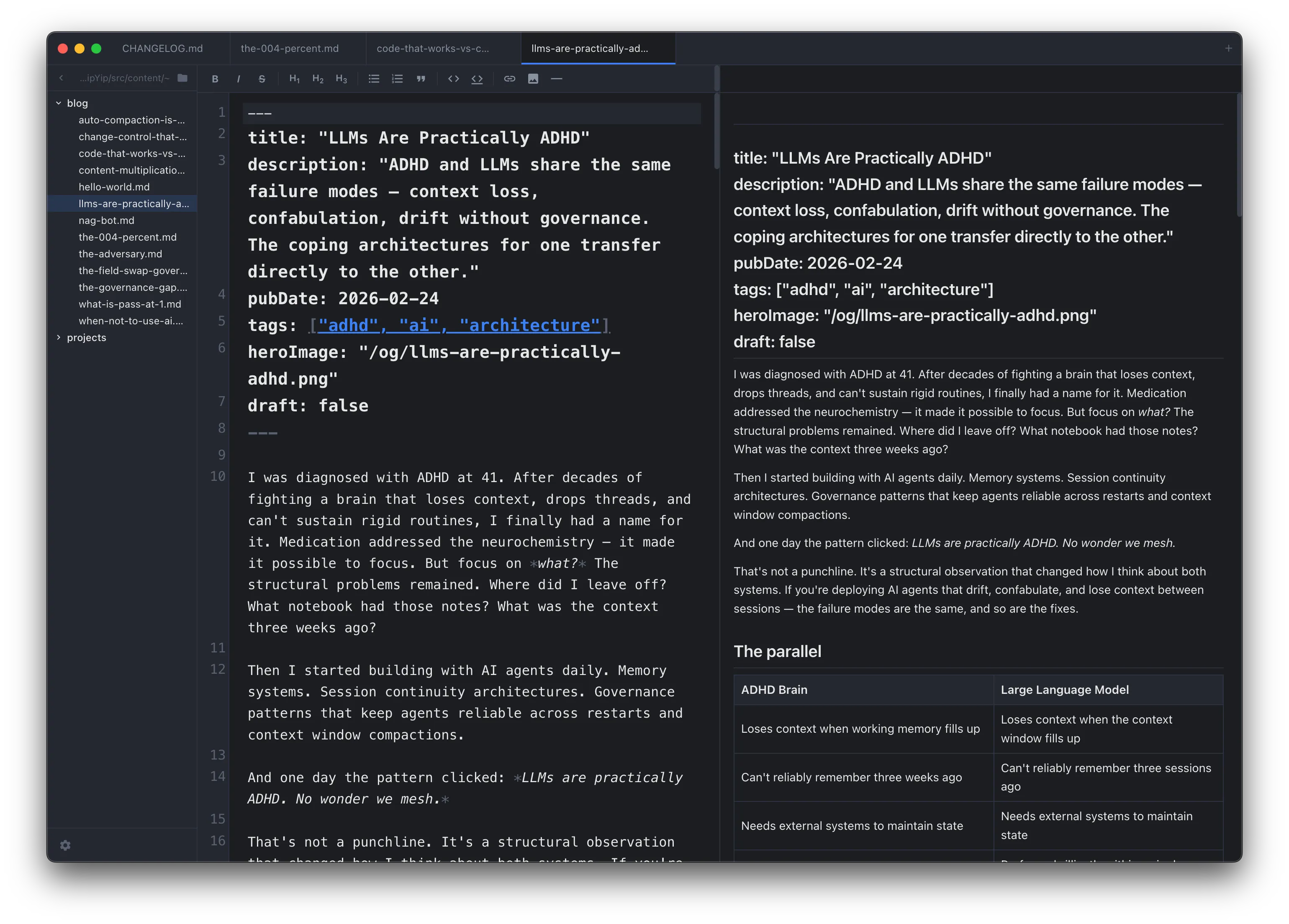
SideMark assumes two. When Claude Code, Cursor, Windsurf, or any AI agent edits your files, SideMark handles the merge automatically. Non-overlapping changes merge silently. Conflicting changes show an interactive per-hunk diff. You stay in flow.
The Problem
Every other markdown editor fights your AI agent.
You're editing a governance doc. Claude Code writes to the same file. Your editor pops a dialog: "File changed on disk. Reload?" You lose your cursor position, your unsaved edits, your train of thought. Or worse — it silently reloads and your changes vanish.
SideMark was built for two-author workflows. When both you and an AI agent edit the same file, non-overlapping changes merge automatically. When changes overlap, you get an interactive diff — accept or reject each hunk individually. No dialog. No data loss. No broken flow.
Built for Two Authors
The features that make AI co-editing work.
Three-Way Merge
You edit lines 5-10. Claude edits lines 40-50. Both changes merge silently. No dialog, no reload, no lost work. A toast confirms the merge happened.
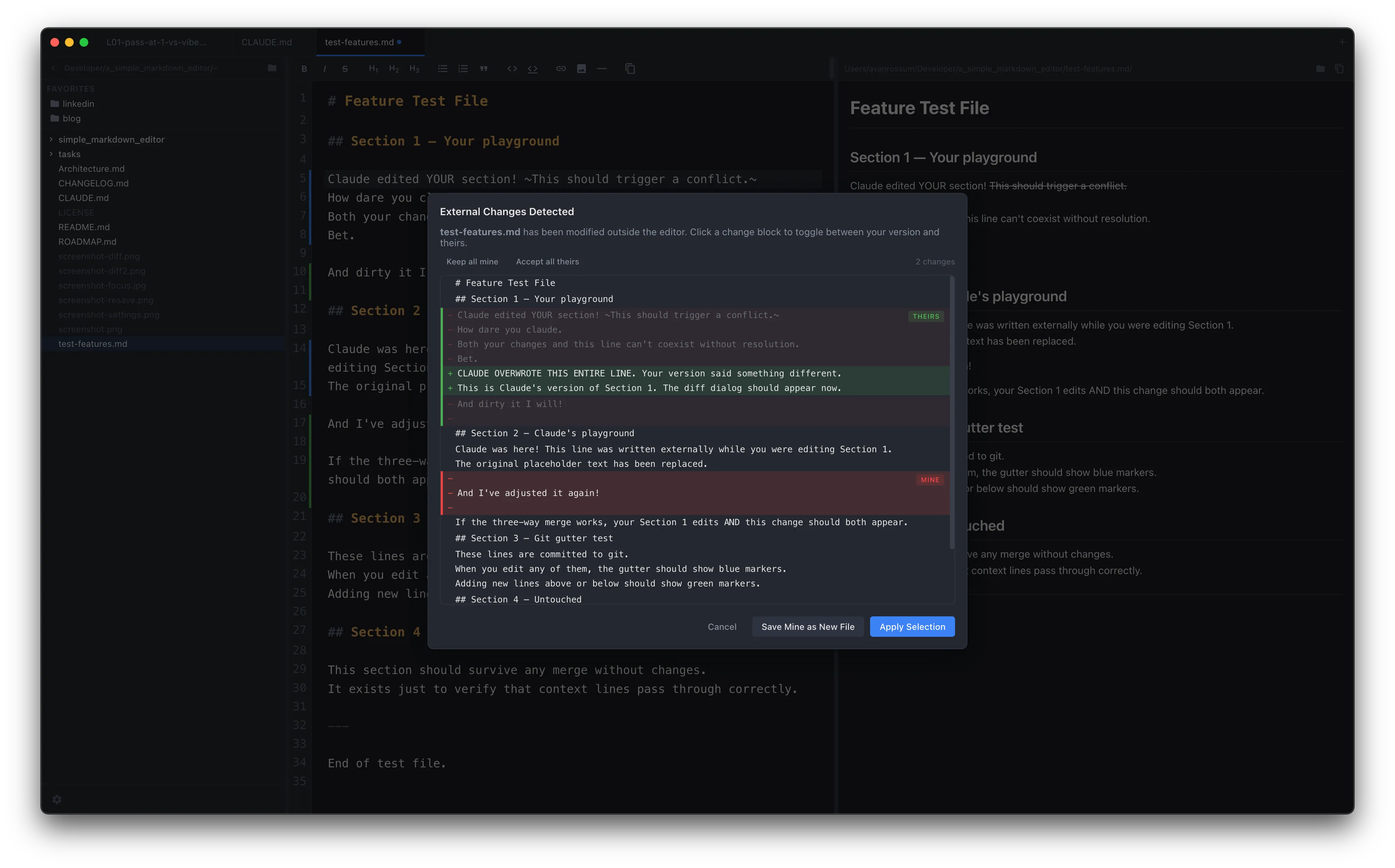
Per-Hunk Diff
When changes overlap, SideMark shows an interactive diff. Click to accept or reject each change block individually. "Save Mine as New File" for an escape hatch.
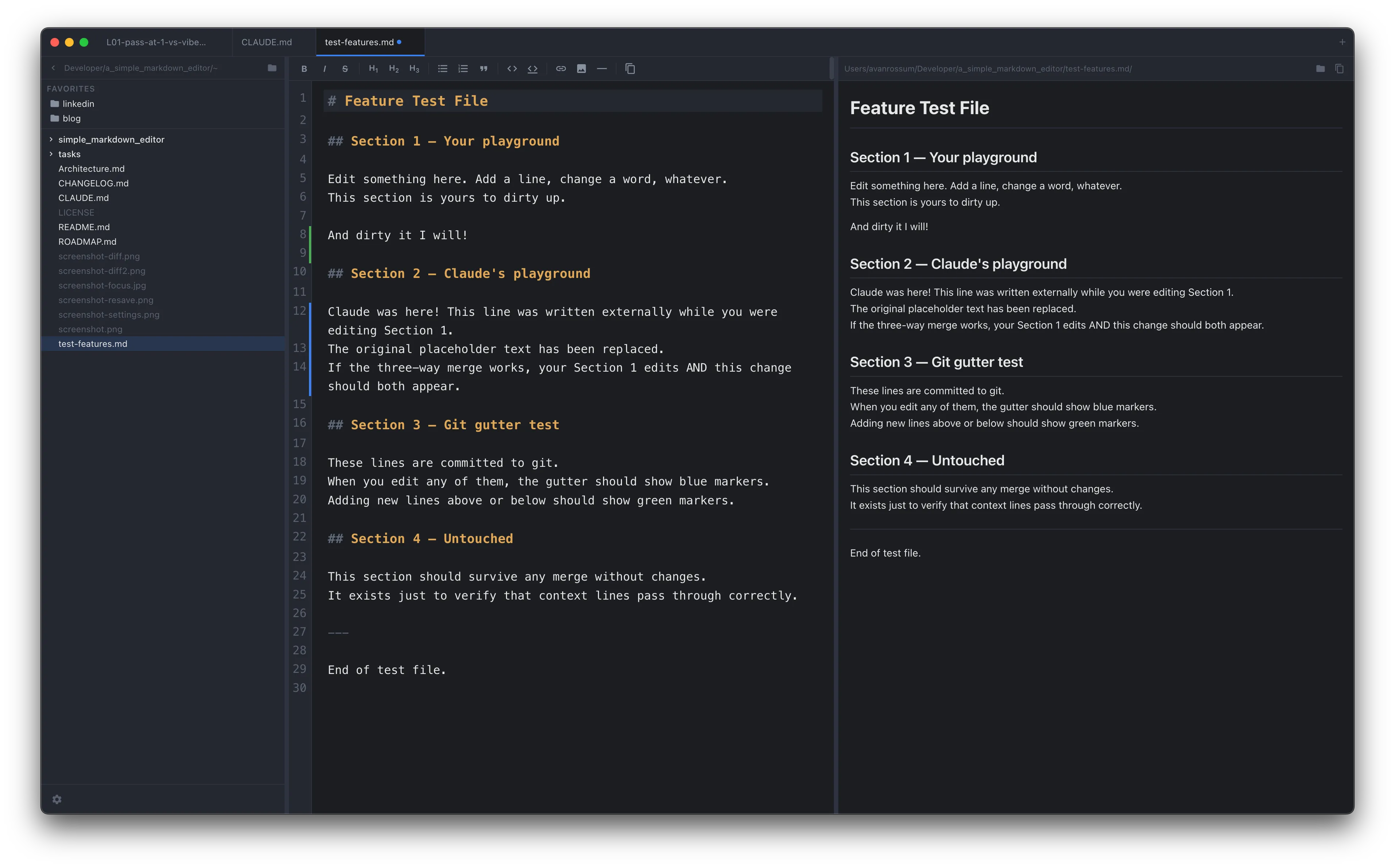
Git Gutter
Green for added, blue for modified, red for deleted. See at a glance what changed since your last commit — whether you or your AI agent made the change.
Auto-Save
Configurable delay: 1s, 2s, 5s, 10s. Edit a governance doc, switch to Claude Code, and your changes are already on disk. No diff dialog when you switch back.
Copy with Context
Cmd+Opt+C copies your selection with file path and line numbers. No selection? Copies the entire file with a path header. Paste directly into an AI prompt with full context.
Change Notifications
Toast notifications when external merges succeed. File deletion detection with options to close or re-save. You always know what your AI agent did.
Concurrent Editing
Co-edit with AI. Nothing gets lost.
The interactive diff shows exactly what changed, grouped by related hunks. Accept incoming, keep yours, or save yours as a new file. Every change block is independent — no all-or-nothing decisions.
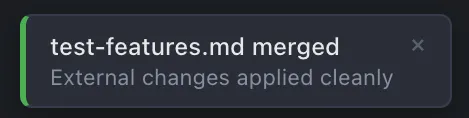
Clean merges get a toast. No interruption.
Git Integration
See what changed since your last commit.
Git gutter markers show added, modified, and deleted lines in the editor. Whether you made the change or your AI agent did, you can see it at a glance before committing.
Editor
Everything you'd expect. Nothing you wouldn't.
File browser, CodeMirror editor, live GFM preview. Bidirectional scroll sync. Resizable panes.
Expandable directory tree with auto-refresh. Favorites panel with drag-and-drop reordering. Stale path detection.
Fullscreen distraction-free editing. Toolbar and centered text. Auto-save running in the background.
Project-wide search with case sensitivity. Results grouped by file with context lines. Cmd+Shift+G.
Toggle-aware bold, italic, headings, lists, code, links. Keyboard shortcuts for everything.
Tabs, folders, window positions, active file. Close the app, open it tomorrow, pick up exactly where you left off.
Cmd+Shift+N. Each window has its own tabs and folder. All windows restore on relaunch.
Clean output for sharing with stakeholders. Standalone HTML with inline CSS, no dependencies.
Dark, light, or system. Seven accent colors. Configurable editor and preview fonts.
Focus Mode
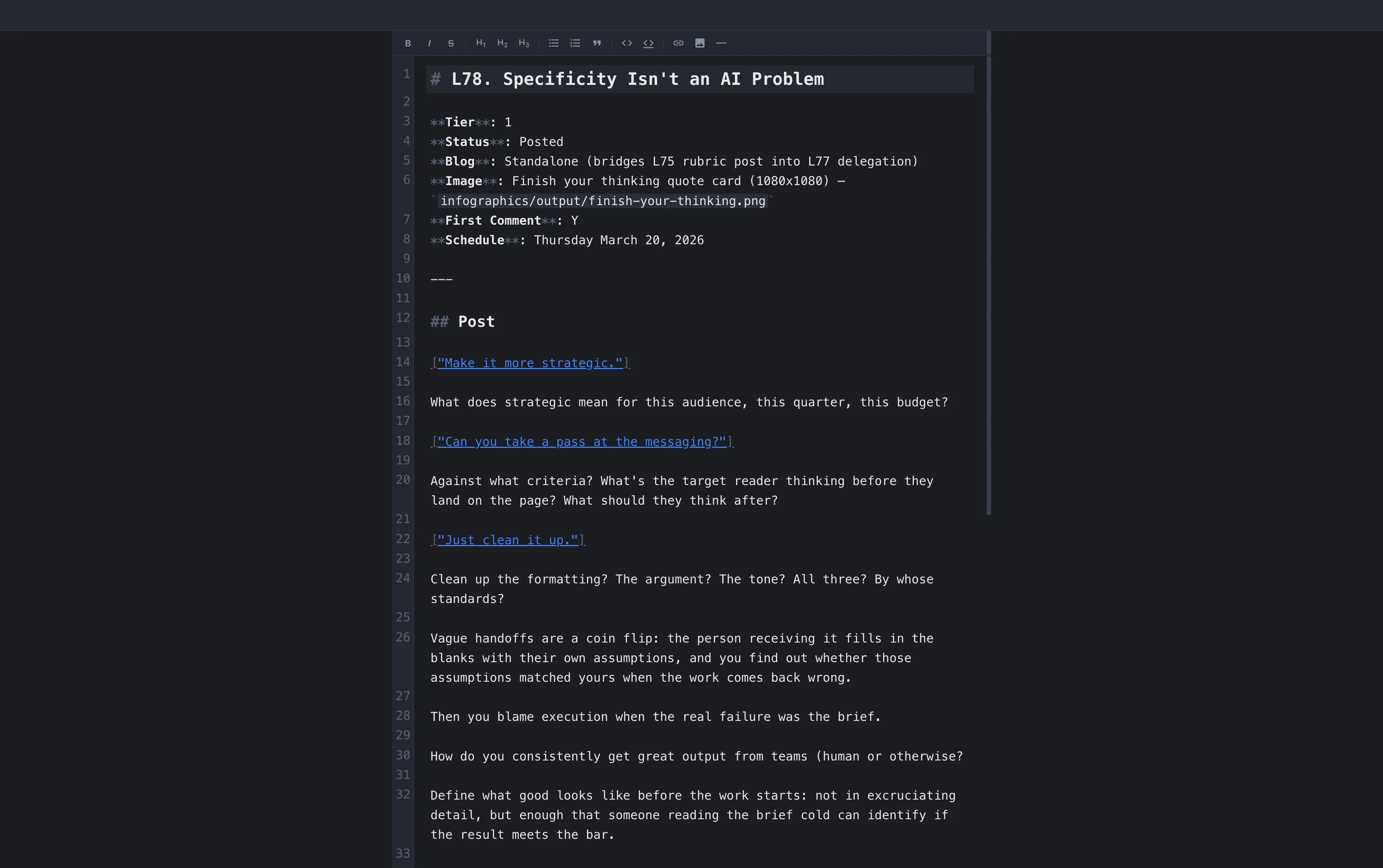
Just the toolbar and your text. Auto-save running in the background.
Under the Hood
Security-hardened. Not an afterthought.
XSS prevention
DOMPurify sanitizes all rendered markdown. No script injection through crafted files.
Sandboxed windows
Chromium sandbox enabled. Context isolation enforced. All file operations route through IPC with path validation.
Filesystem access control
Path validation limits access to home directory and volumes. Sensitive directories (.ssh, .gnupg, .aws) blocked.
Signed & notarized
Apple Developer ID. Notarized. No Gatekeeper warnings on first launch.
No telemetry
No analytics. No crash reporting. No network calls except update checks to GitHub Releases.
Open source (MIT)
Full source on GitHub. Adversarial security review completed. Every line is auditable.
Deliberately Excluded
SideMark is focused. On purpose.
No cloud sync. No real-time collaboration. No plugin system. No Vim mode. No WYSIWYG. No proprietary format. No account creation. No subscription. No telemetry.
Your files are markdown on disk. Open them with anything, anywhere, forever. SideMark makes editing them fast and pleasant — especially when you're not the only one writing to them.
Technical Stack
Support & Contributions
Found a bug? Have an idea?
SideMark is free, open source, and actively maintained. If something isn't working or you've hit a workflow gap, open an issue.
Try SideMark. It's free and open source.
No sign-up, no telemetry, no subscription. Download the latest release and start editing alongside your AI agents.