Save it once.
Run it forever.
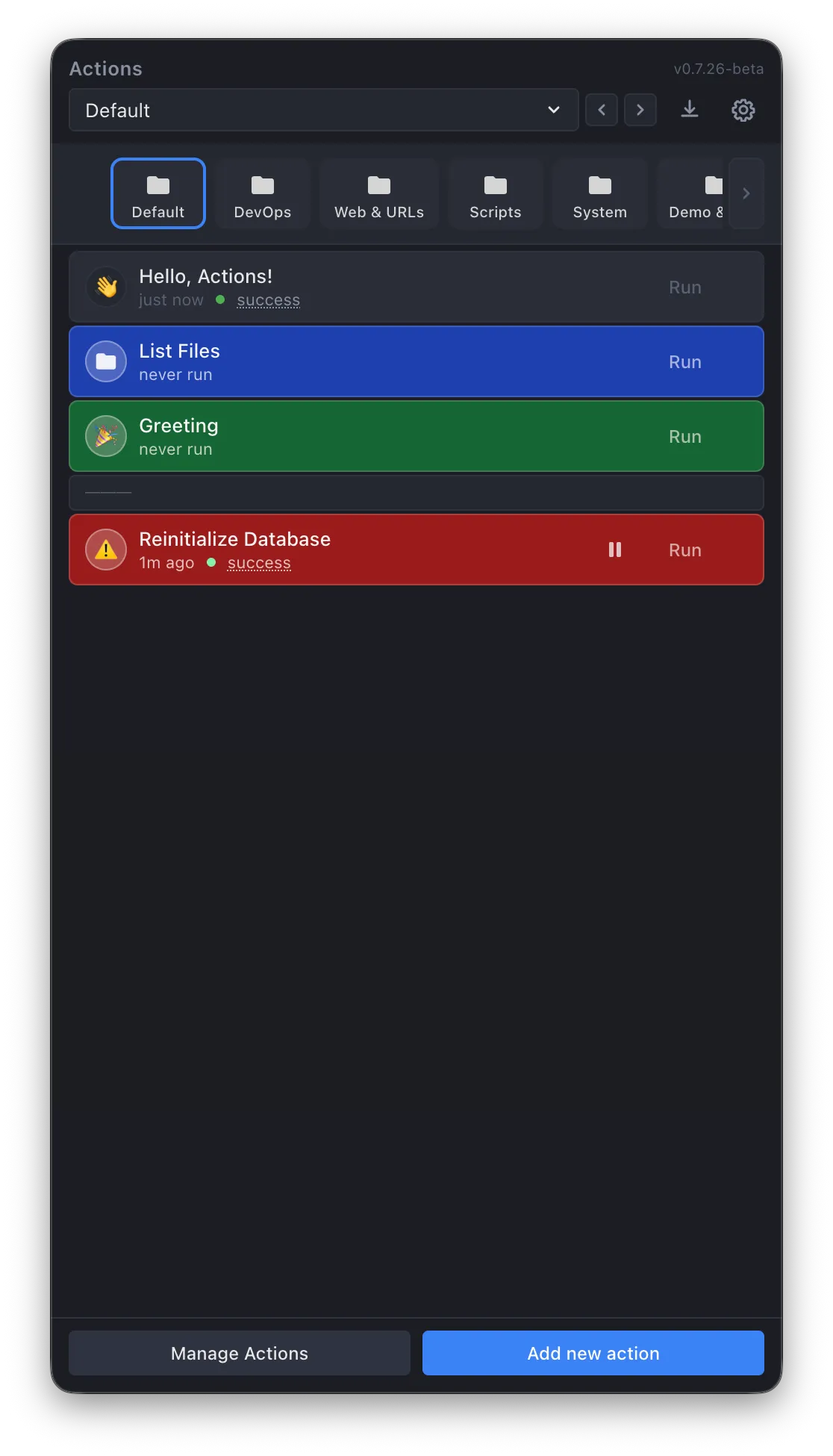
Actions lives in your macOS menu bar and gives you instant access to your most-used terminal commands, scripts, and URLs. Stop scrolling through shell history. Stop keeping notes about what does what. Define it once, run it in seconds — from a keyboard shortcut or a floating button that's always on screen.
One email when Actions ships — nothing else.
You're on the list. I'll email you the day Actions launches.
Free tier + Pro from $12 · macOS only
What People Use It For
Your commands, always one shortcut away.
Every developer has commands they run constantly. Those commands live in shell history, scattered notes, or memory. Actions gives them a permanent home.
Dev workflows
Build, test, deploy, restart, flush caches — the commands you run 20 times a day. Save them with the right flags and paths. Trigger them instantly instead of digging through shell history.
npm run build →
docker compose up →
deploy --prod
Daily routines
Open your monitoring dashboards, launch your project management tools, fire up your dev environment — all with a single click or floating button. Stop manually opening the same 5 URLs every morning.
URLs, Apple Shortcuts, multi-step launch sequences
Sysadmin tasks
SSH into servers, check service status, restart processes, tail logs. Save the commands with variables for server names so you pick from a dropdown instead of remembering hostnames.
ssh {server} →
kubectl logs {pod}
Shortcuts orchestration
Trigger Apple Shortcuts, run AppleScript, execute Python or Node.js scripts — all from the same interface. Actions isn't just a terminal launcher. It's a universal trigger for anything macOS can do.
AppleScript, Bash, Python, Node.js, Apple Shortcuts
Floating Buttons
Pop out your most-used actions. They stay even when the app is hidden.
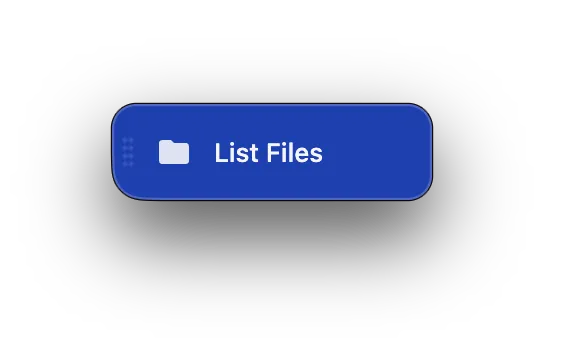
Any action can become a persistent floating button on your desktop. Pin it, position it, and it stays visible above all windows — even after you close the Actions panel. One click to run. Always accessible. No keyboard shortcut to remember, no app to reopen.
Floating buttons persist above all windows. Your most critical actions are never more than a click away.
Hide the menu bar panel — your floating buttons stay. They live outside the app lifecycle entirely.
No hotkey to remember. No menu to navigate. See the button, click it, done. Variables still prompt when needed.
Features
Everything runs from one place.
Run Anything
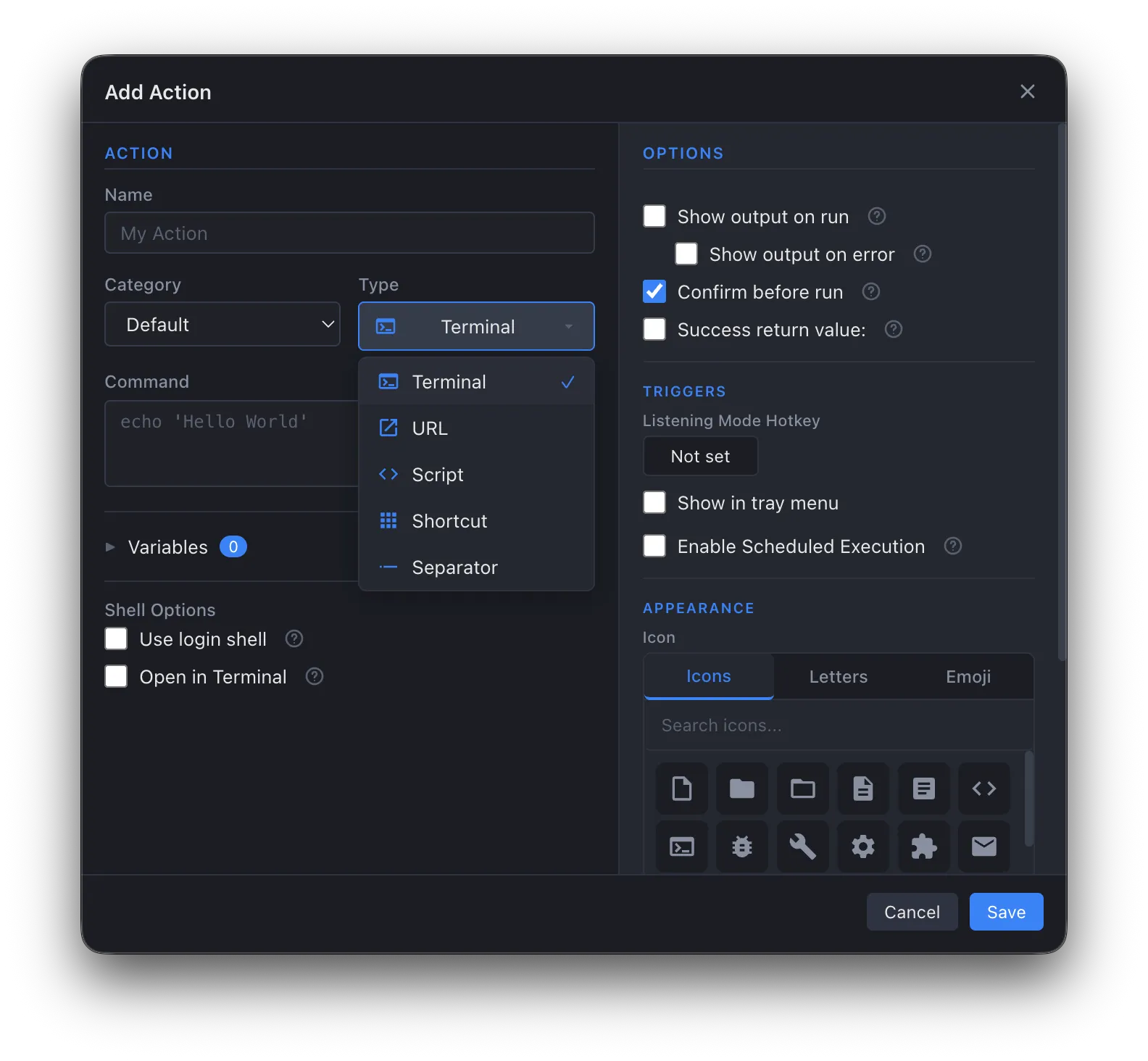
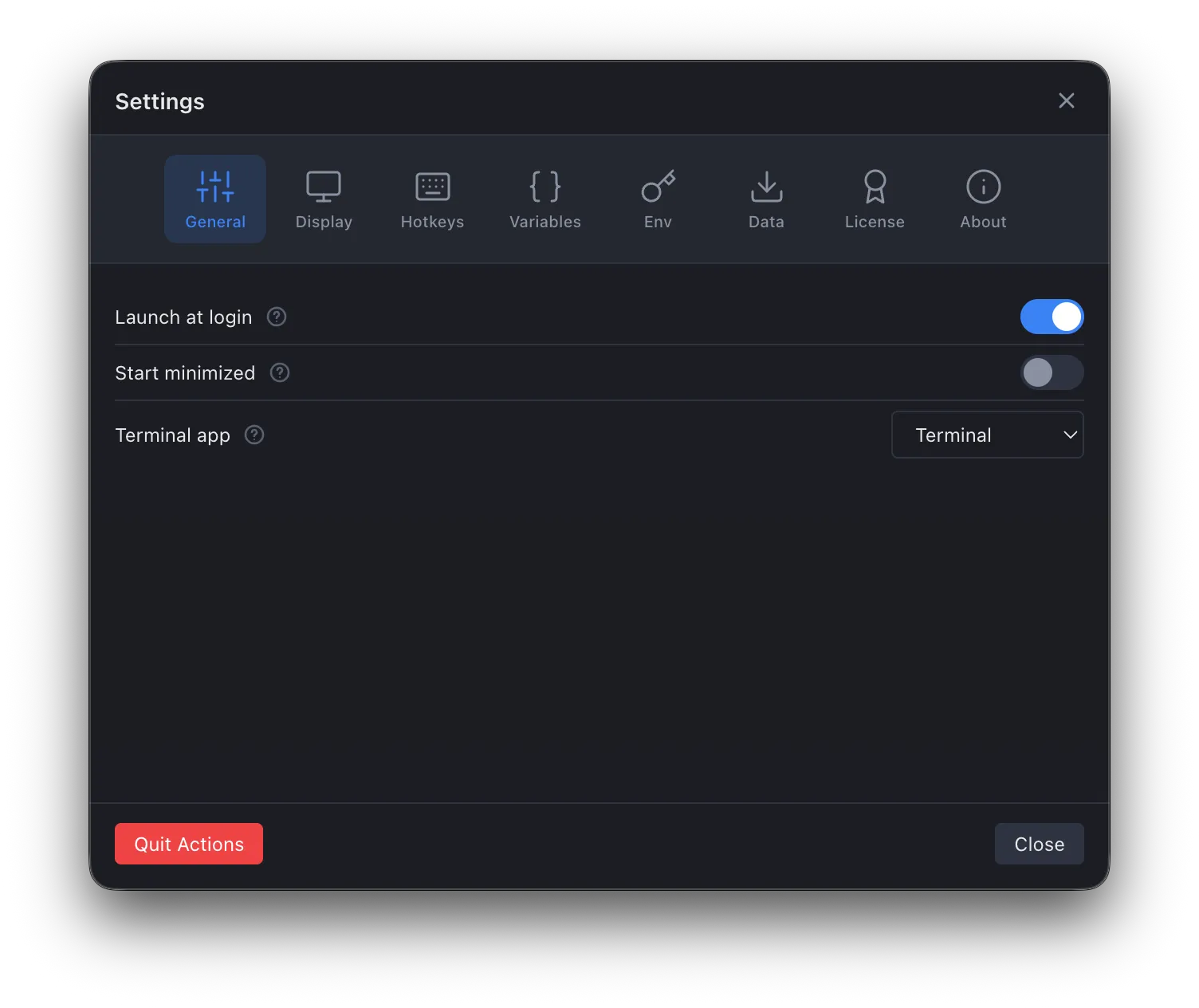
Terminal commands, inline scripts (Bash, Python, Node.js, AppleScript), URLs, and Apple Shortcuts — all from one place. Run with elevated privileges, pipe through your login shell, or open directly in your preferred terminal app.
Variables & Presets
Parameterize your commands with variables that prompt you at runtime. Save preset values for common configurations. Import global variables across actions so your AWS region, deploy target, or database name is always one click away.
Real-Time Output
Floating output windows stream results as they happen, with full ANSI color support. Run multiple actions simultaneously and watch them all. Auto-close on success, or keep the window open to review.
Leader Key Hotkeys
Trigger any action from anywhere on your Mac with a leader key pattern — press your activation shortcut, then a single key to fire. No need to pollute your global hotkey space. Assign hotkeys to categories too, for instant context switching.
Scheduled Execution
Run actions on intervals, daily, weekly, or monthly — all while the app quietly lives in your menu bar. Pause and resume triggers without losing your configuration.
Organize Your Way
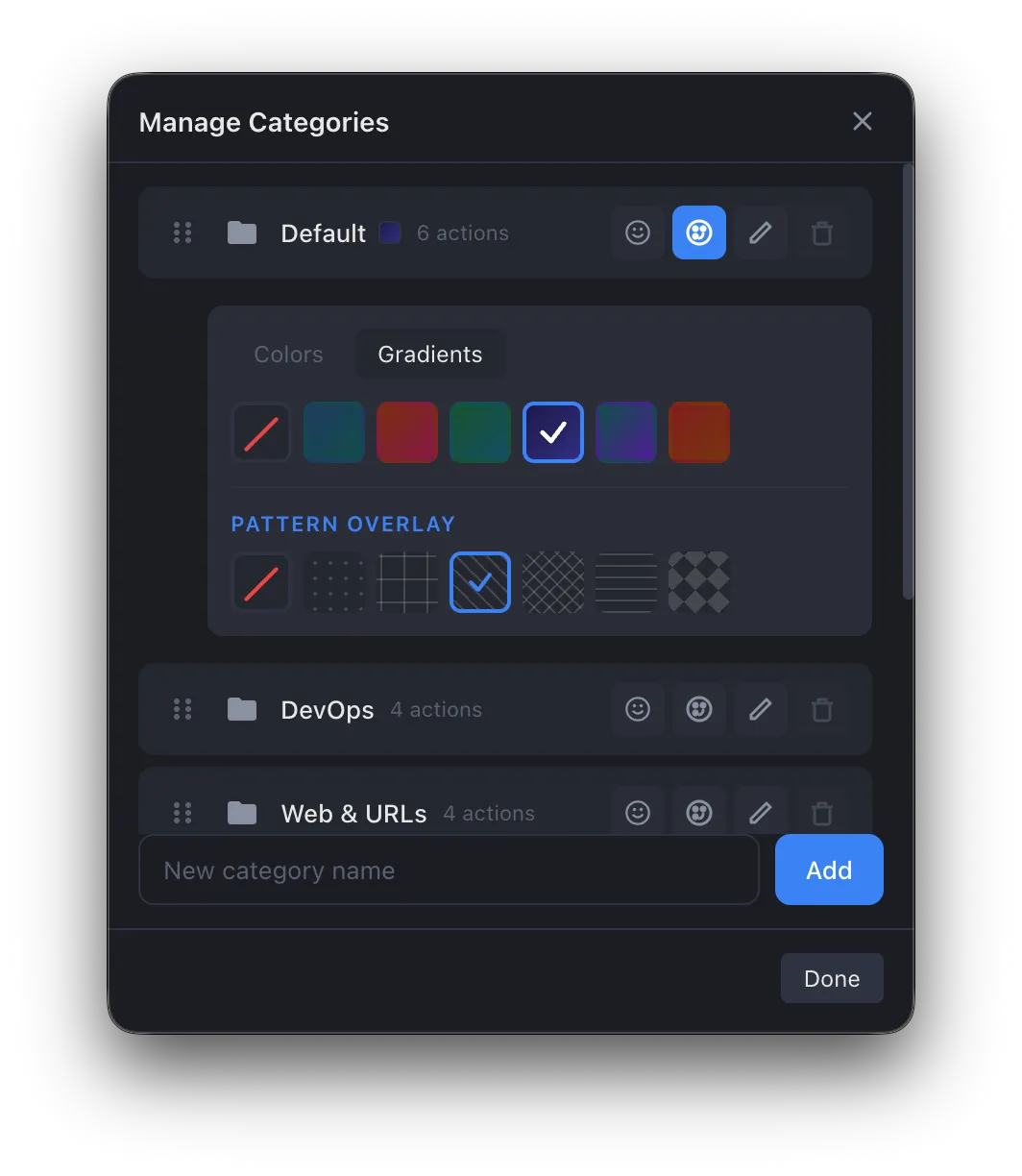
Group actions into color-coded categories with icons and emojis. Add visual separators to divide workflows. Drag and drop to reorder everything. It maps to the way you think about your work.
Execution
Run it here. Or send it to your terminal. Your call.
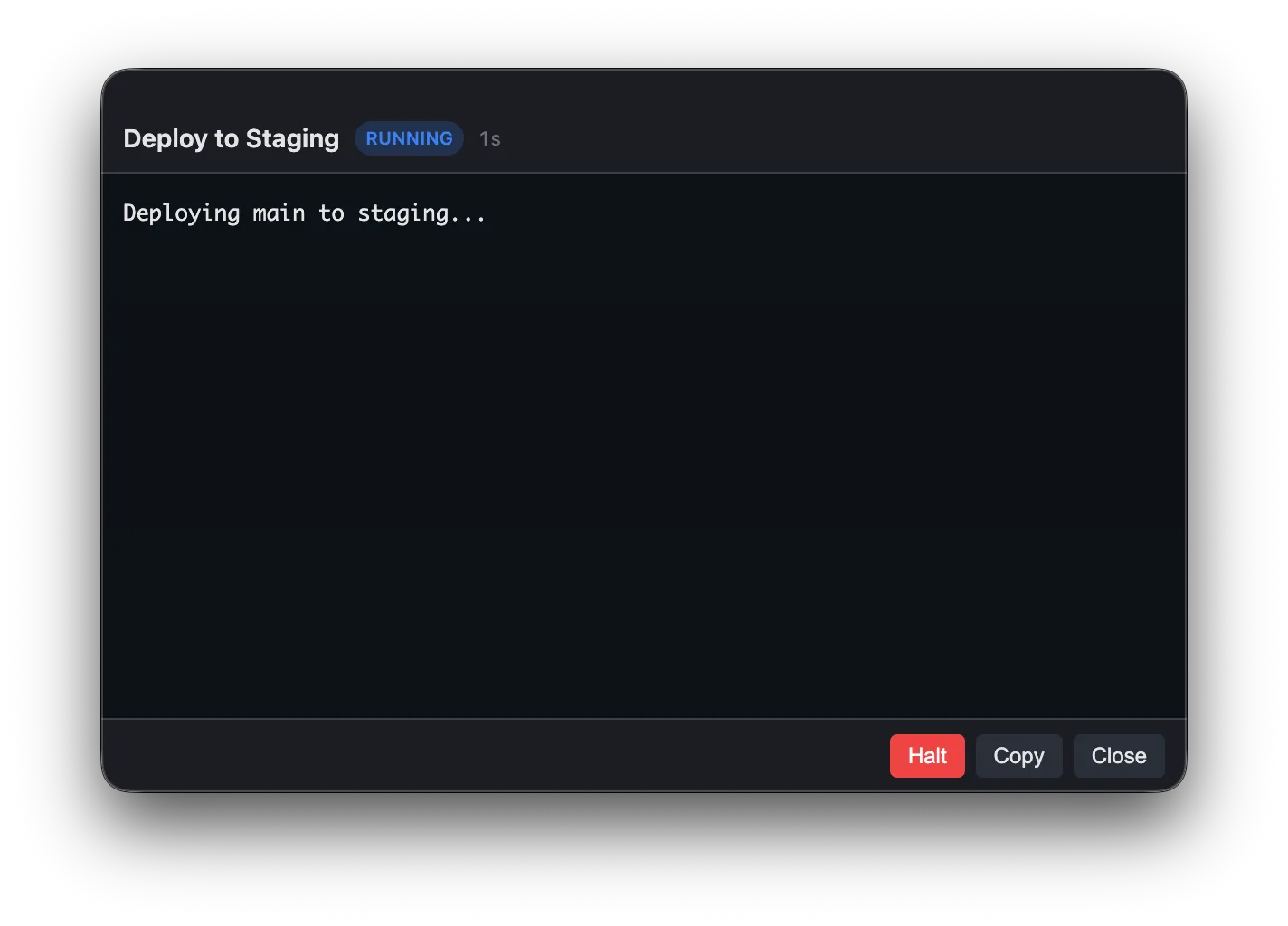
By default, Actions runs commands in its own shell and streams output to a dedicated window. You see the result immediately — status, elapsed time, full output. Close the window, reopen it later, the last run is still there. Actions tracks every execution so you always know what happened.
Prefer your own terminal? Actions also works with Terminal, iTerm, Warp, Kitty, Alacritty, or any custom app. Choose per-action — some commands run inline, others open in a full terminal session.
Commands run in Actions' own shell. Real-time streaming, status tracking, Halt/Copy/Close controls. No terminal window to manage.
Reopen the output window anytime — the last run result is still there. No more scrolling through terminal history to find what happened.
Send any action to Terminal, iTerm, Warp, or any app. Login shell sourced, PATH and aliases available. Mix and match per action.
Under the Hood
Small details that add up.
Encrypted secrets
API keys and tokens stored in encrypted environment variables, protected by your Mac's Keychain. Injected at runtime — never in plaintext.
Native theming
Light and dark modes that follow your system. Accent colors on categories. Everything looks like it belongs on your Mac.
URL & Shortcut support
Not just terminal commands. Open URLs instantly and trigger Apple Shortcuts from the same interface. One launcher for everything.
Confirm before run
Optional confirmation dialogs on dangerous commands. No accidental production deploys. Safety where you want it, speed where you don't.
Tray menu access
Pin your most-used actions to the system tray menu for one-click access. No need to open the main window for quick triggers.
Auto-updates
Updates download and install automatically. Always running the latest version without manual intervention or app store reviews.
Who It's For
People who run the same commands over and over — and are tired of the ceremony.
Developers, sysadmins, DevOps engineers, and power users who have a personal library of commands they use constantly. Build scripts, deploy sequences, SSH tunnels, Docker commands, environment resets — the stuff you've memorized or keep in a note somewhere.
If you've ever scrolled through shell history pressing the up arrow fifteen times trying to find that one deploy command with the right flags — or kept a Notion page of "commands I always forget" — Actions replaces all of that with something you can actually use in two seconds.
Pricing
Use it for free. Upgrade when you want more.
The free tier gives you everything you need to get started. Pro unlocks the full feature set for a one-time purchase.
Free
$0
Forever
- Unlimited actions
- Terminal, URL, and Shortcut types
- Category organization
- Real-time output windows
- Light & dark themes
- Auto-updates
Pro
$12
One-time purchase
- Everything in Free, plus:
- Floating popout buttons
- Global leader key hotkeys
- Variables & runtime prompts
- Preset values for variables
- Global environment variables
- Encrypted secrets (Keychain)
- Scheduled execution
- Tray menu pinning
- Confirm-before-run safety
Technical Stack
Stop scrolling through shell history.
Save your commands once. Run them forever — from a hotkey, the menu bar, or a floating button that never leaves your screen.
One email when Actions ships — nothing else.
You're on the list. I'll email you the day Actions launches.