Free & open source for macOS
A markdown editor that
stays out of your way.
No account. No cloud sync. No subscription. SideMark is a native macOS markdown editor that works with local files on your machine. Open a file, edit it, save it. That's the whole model.
It's also the only markdown editor built for working alongside AI agents — but if you just want a clean, fast, open source editor, it handles that too.
Why Open Source Matters
Your files. Your machine. Nobody else's business.
Most markdown editors want you to create an account, sync to their cloud, or subscribe to unlock features. That means your notes, your documentation, your private writing — all sitting on someone else's server.
SideMark reads and writes plain .md files on your local filesystem. No proprietary format. No database. No network requests. If you stop using SideMark tomorrow, your files are exactly where you left them — because they were never anywhere else.
Local files only
No cloud. No sync. Files stay on your disk.
No telemetry
Zero analytics. Zero tracking. Zero network calls.
MIT licensed
Full source on GitHub. Fork it, modify it, own it.
The Differentiator
Built for AI-assisted development.
Most markdown editors assume one person edits a file at a time. If you use Claude Code, Cursor, or any AI agent that writes to your files, that assumption breaks. SideMark was built for the two-author workflow from the start.
Three-way merge handles concurrent edits
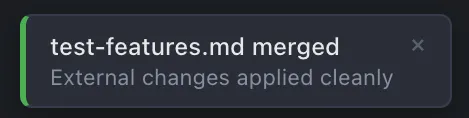
You edit the introduction. Your AI agent rewrites the conclusion. SideMark merges both changes against a common ancestor — silently, in the background. A toast confirms it happened. No dialogs. No lost work.
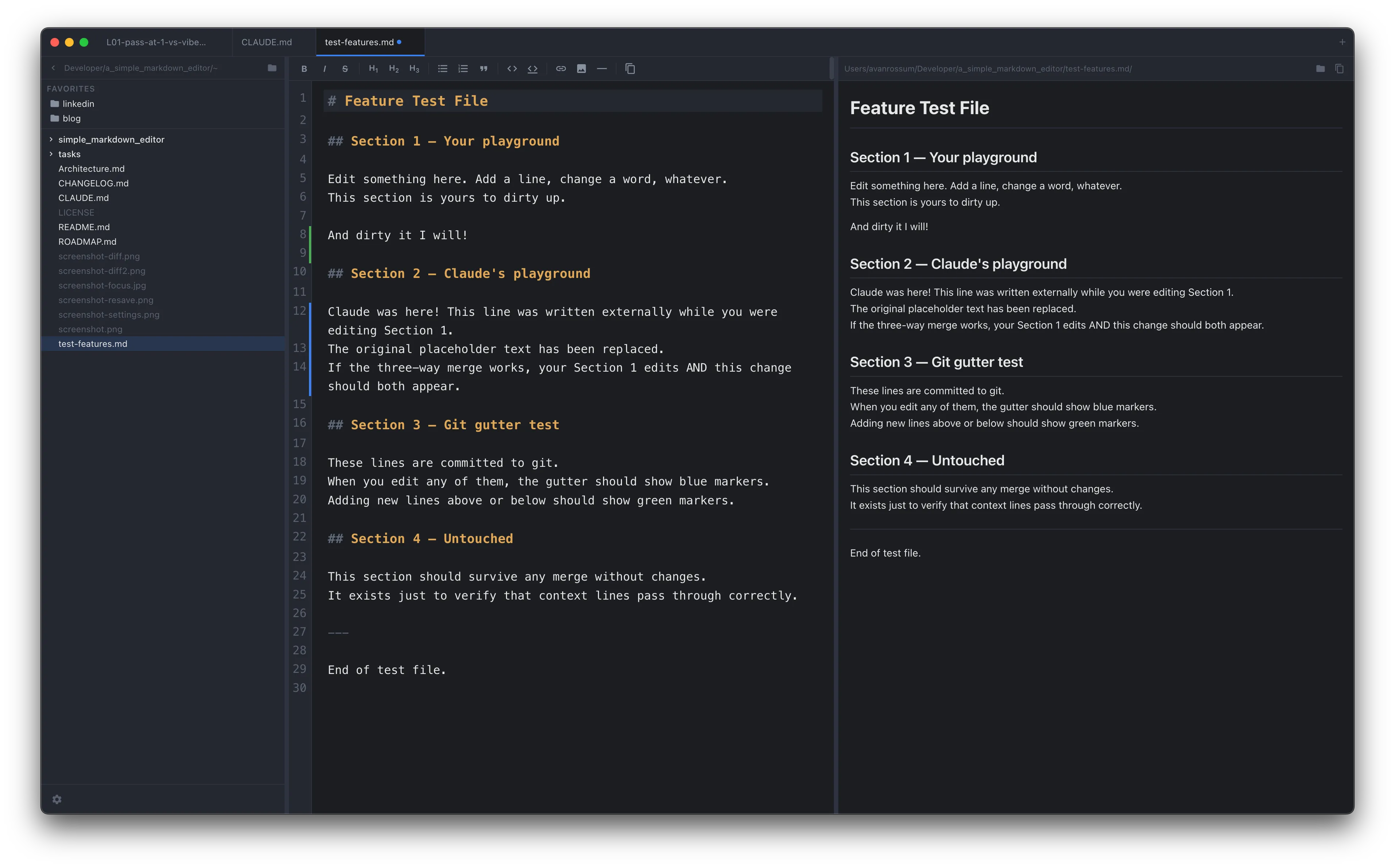
Git gutter shows what changed since your last commit — whether you or your AI agent wrote it.
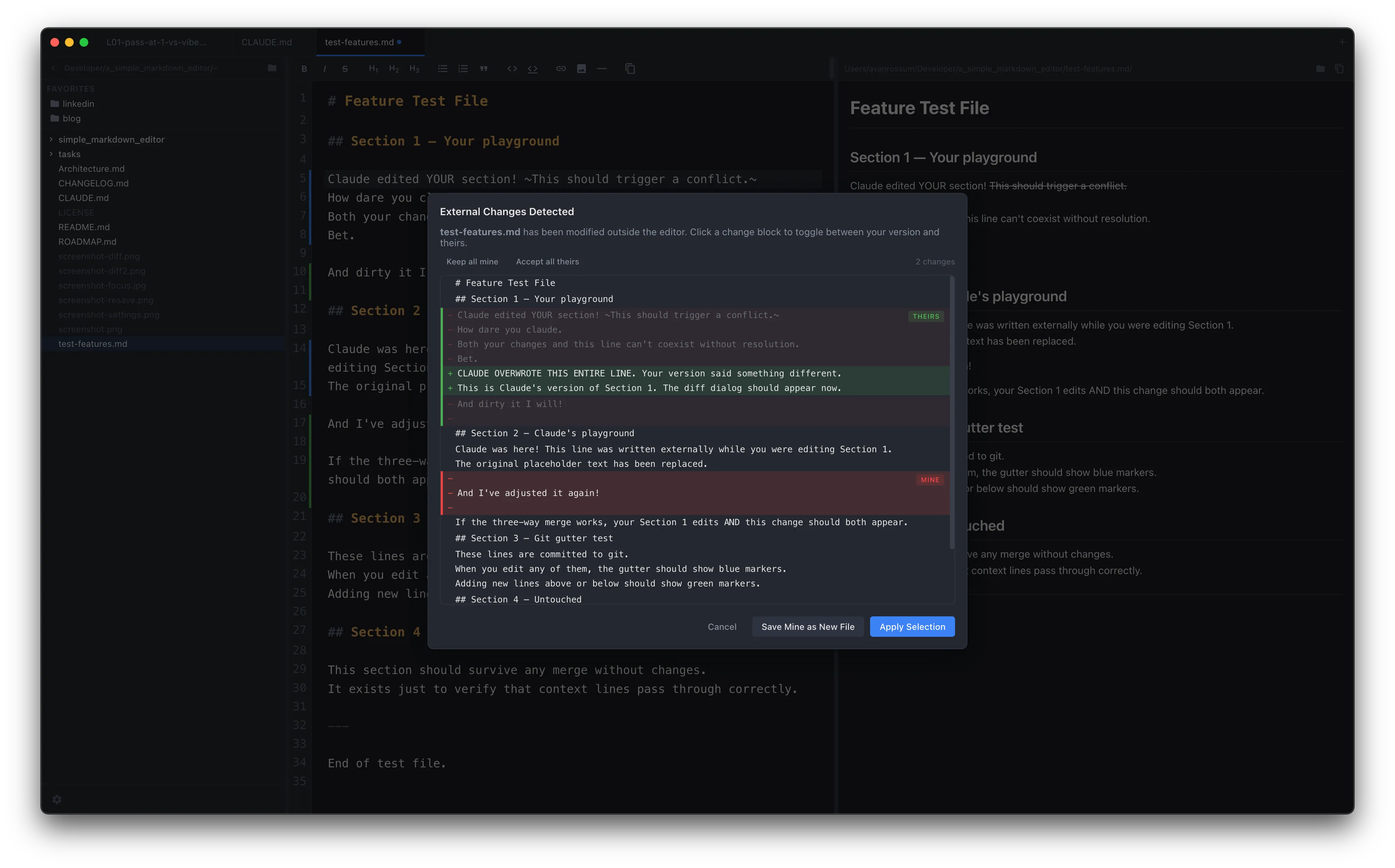
Per-hunk diff when changes overlap
When you and the agent edit the same lines, SideMark shows an interactive diff. Accept or reject each change individually. No all-or-nothing reload. No "file changed on disk" dialogs.
Features
Everything you need. Nothing you don't.
Live preview
Side-by-side rendered preview that updates as you type. Scroll-synced so you always see what you're editing.
Git gutter
Color-coded markers in the gutter show added, modified, and deleted lines since your last commit.
Auto-save
Configurable 1-10 second delay. Your changes hit disk fast — critical when an AI agent needs to read the file you're editing.
Copy with path
Cmd+Opt+C copies your selection with the file path and line numbers — ready to paste into an AI prompt.
Three-way merge
Non-overlapping external changes merge silently. Conflicts get an interactive per-hunk diff.
Merge notifications
Toast notifications confirm when external changes are merged, so you always know what happened to your file.
Free. Open source. No strings.
MIT licensed. macOS native. No account, no telemetry, no subscription. Download it. Use it. Read the source.