Built for the agentic workflow
Your markdown editor
wasn't built for two authors.
You're editing a CLAUDE.md file. Claude Code writes to it at the same time. Your editor pops a dialog: "File changed on disk. Reload?" You lose your cursor, your unsaved changes, your train of thought. Or it silently reloads and your edits vanish.
This happens dozens of times a day in AI-assisted development. Every markdown editor on the market assumes one author. SideMark assumes two.
The Real Problem
File-changed-on-disk is a workflow killer.
If you're using Claude Code, Cursor, Windsurf, Codex, or any AI agent that writes to files on your behalf, you've hit this problem. You have a markdown file open — a README, a ROADMAP, a governance doc, a blog draft — and the AI agent modifies it while you're typing.
Every existing editor handles this badly. They either silently reload (losing your edits), pop a dialog asking you to choose, or ignore the change entirely. None of them try to merge. None of them treat two-author editing as a normal part of the workflow rather than an exceptional conflict.
SideMark does. Non-overlapping changes merge automatically, in the background, with a toast notification so you know it happened. Overlapping changes show an interactive per-hunk diff where you accept or reject each change individually. No all-or-nothing. No lost work. No broken flow.
How It Works
Two authors. One file. Zero friction.
Non-overlapping changes merge silently
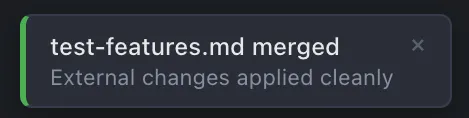
You edit the introduction. Claude rewrites the conclusion. SideMark runs a three-way merge against the last-saved common ancestor. Both changes land. A toast confirms it happened.
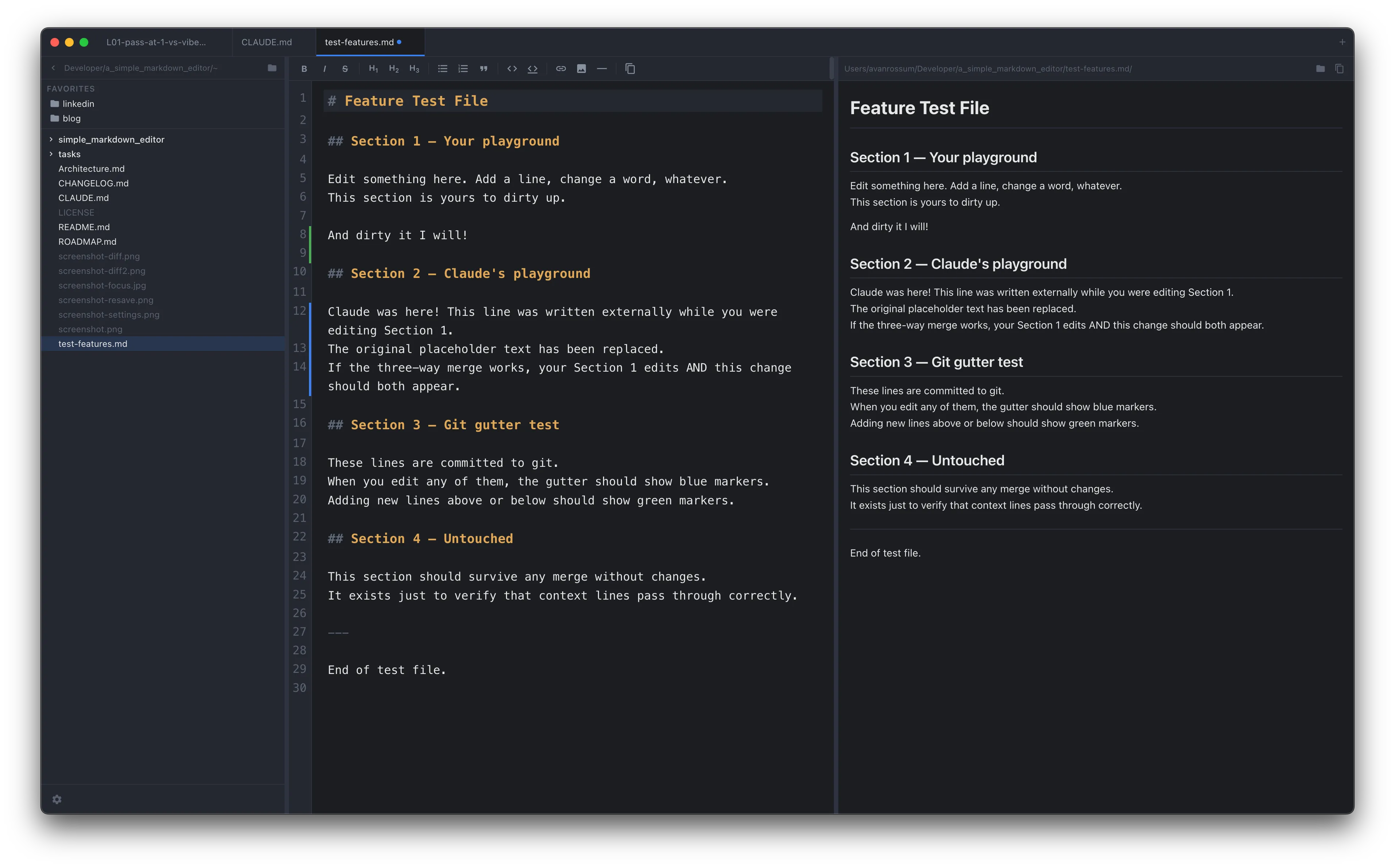
Git gutter shows what changed since your last commit — whether you or your AI agent wrote it.
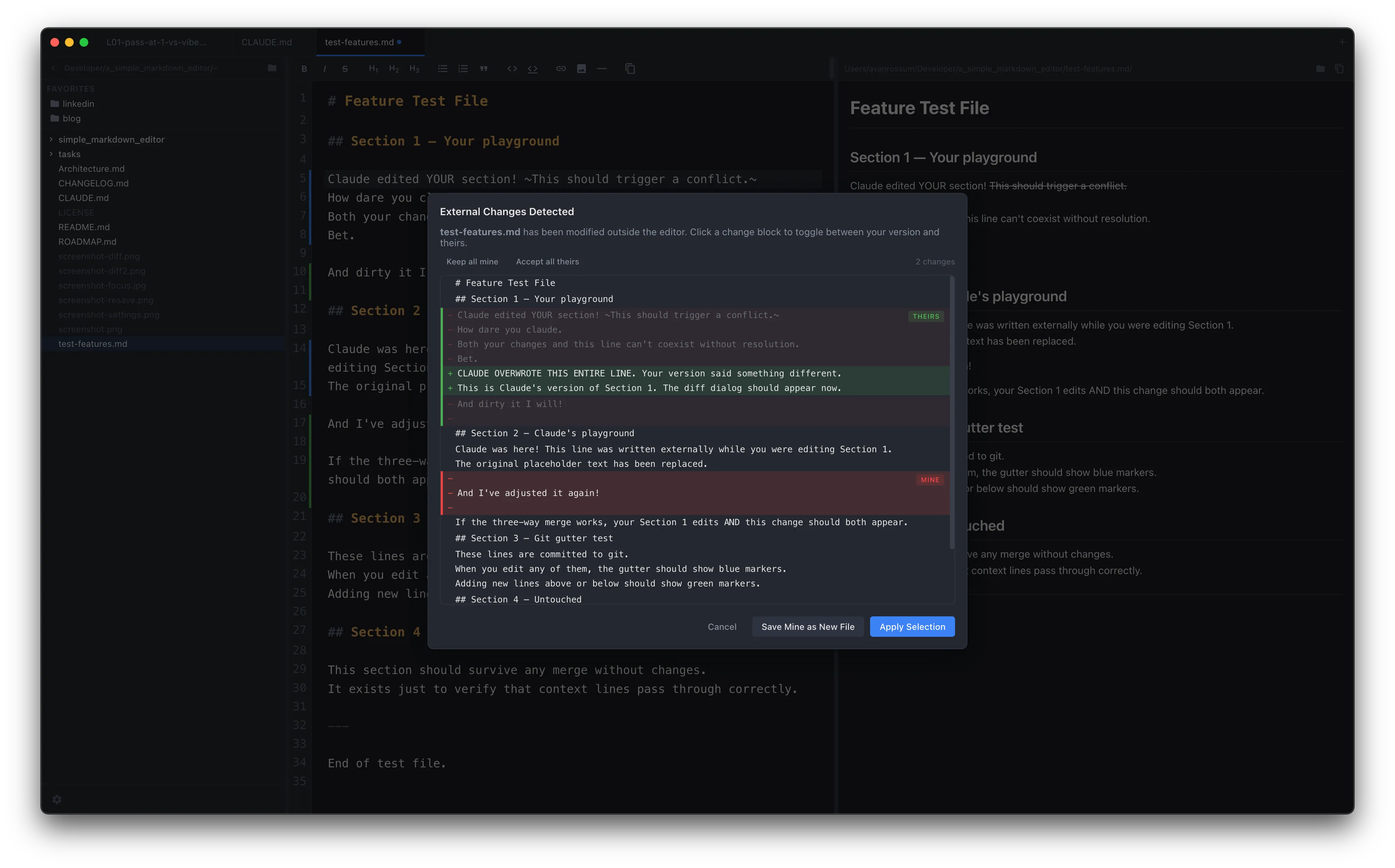
Overlapping changes get a per-hunk diff
When you and the AI agent edit the same lines, SideMark shows an interactive diff. Each change block is independent — accept incoming, keep yours, or save yours as a new file. Related changes are grouped into hunks so you can evaluate them in context.
The Workflow
Edit governance docs while your AI agent builds.
If you're using CLAUDE.md, ROADMAP.md, ARCHITECTURE.md, or any governance documents to guide your AI agent, you need to edit those files while the agent is working. Auto-save (configurable 1-10s delay) ensures your changes are on disk before you switch back to the agent. When the agent writes to the same file, three-way merge handles it.
Cmd+Opt+C copies your selection with the file path and line numbers — ready to paste directly into an AI prompt. No selection copies the entire file with a path header.
This is the workflow SideMark was built for. Not because it's a niche — but because it's becoming the default way developers work, and no other editor handles it.
Who It's For
Developers who work alongside AI agents.
If you use Claude Code and maintain governance documents (CLAUDE.md, ROADMAP.md) that the agent reads and you update.
If you use Cursor or Windsurf and need to edit project files while the AI writes to the same directory.
If you use any agentic AI workflow where markdown files are shared state between you and your tools.
Or if you just want a fast, clean markdown editor that doesn't try to become Notion. That works too.
Free. Open source. Built for this.
No sign-up, no telemetry, no subscription. macOS only. MIT licensed.